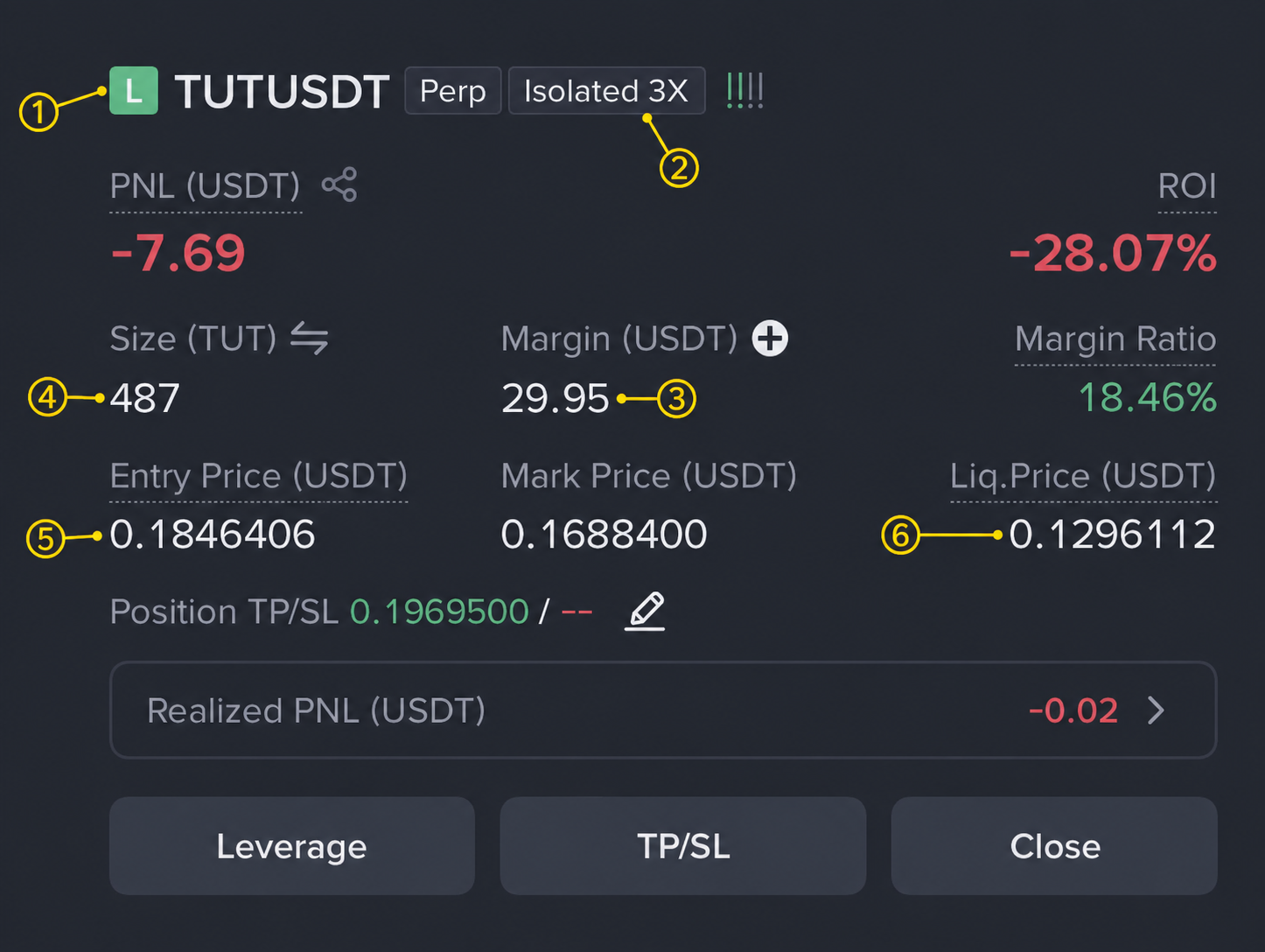
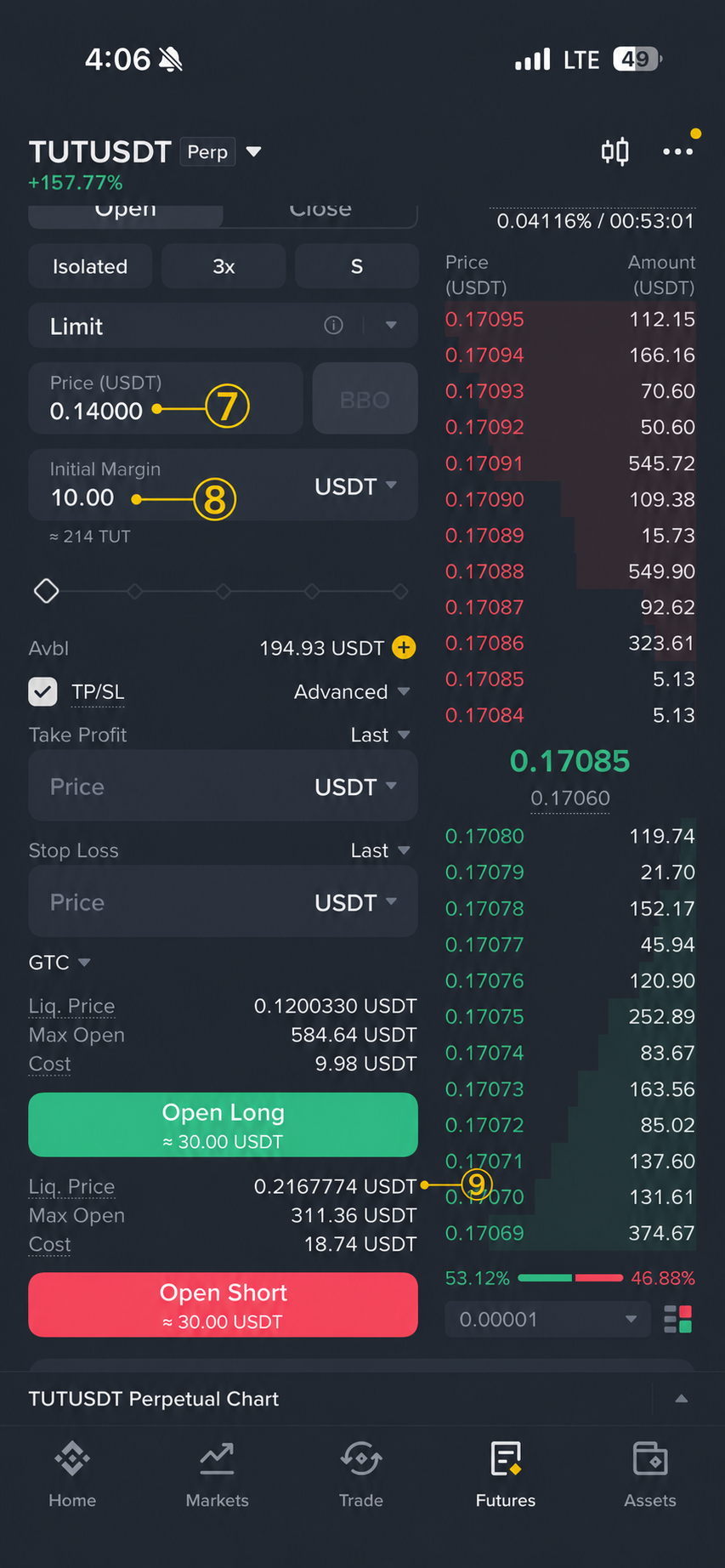
This planner is an educational estimate for Binance USDⓈ-M linear perpetuals in Isolated Margin mode. Maintenance requirements, fees, mark-price rules, and liquidation mechanics differ by exchange and contract. It is not investment advice.
It is late, a leveraged position is moving toward its liquidation price, and you want to leave an order in place before you sleep. The real question is not “will price turn?” It is: if this order fills, what happens to my average entry, liquidation level, and exit plan?

The three questions traders keep asking
Across Binance-focused Reddit threads, the same confusion appears in different forms: does adding isolated margin change the entry price; why does a new position order move liquidation differently; and why does a hand calculation not match the number on screen? See examples on adding or removing isolated margin, margin versus adding to a position, and a calculator mismatch.
Those are sensible questions. “Add $30” is ambiguous unless you also say whether the $30 is new collateral or a new order’s notional value.
Margin-only and DCA are not the same action
Margin-only: adding collateral to an isolated position leaves its quantity and average entry unchanged. It can move the liquidation estimate farther away, but it also commits more capital to the same trade.
Position add / DCA: placing a new order changes quantity and average entry if it fills. Its effect on liquidation depends on side, fill price, size, maintenance tier, and costs. It is therefore possible to improve one number while increasing exposure and the amount at risk.
That distinction is why the planner separates “Add to position” from “Add margin only” for every one of five stages. It is a scenario tool, not a prediction engine.
Why plan a stop before the liquidation level?
If a stop order closes normally before liquidation, it may avoid the forced-close process and any additional liquidation charge. Binance Academy notes that forced liquidation typically carries an additional liquidation fee, while also warning that the exact treatment varies by platform. Read the Binance Academy definition.
That does not make a stop guaranteed protection. A trigger may use mark price or last price depending on the chosen order settings; a fast market can create slippage, partial execution, or no fill at the expected price. A stop should therefore sit with room to the conservative planning estimate, not be treated as identical to it.
A five-step “before sleep” check
- Enter the current isolated margin, leverage, and the liquidation price shown by Binance.
- Add actual average entry and quantity when available; these make the scenario more useful than a leverage-only approximation.
- For each planned order, choose either Add to position or Add margin only, then enter its price and amount.
- Review the conservative liquidation estimate after every filled stage, not just the final stage.
- Set a separate stop reference and check the estimated loss at that level before leaving the position unattended.
Open the Futures Liquidation Planner
What the estimate cannot know
Funding payments, fee tier, maintenance-margin brackets, mark-price behavior, open orders, and execution conditions can all change the live result. This page deliberately focuses on isolated mode because cross-margin positions can be affected by other positions and available account balance. If Binance’s displayed liquidation price differs materially from the estimate, use Binance’s figure as the live reference and reassess the order rather than assuming the calculator is wrong.
The useful habit is not to search for the perfect rescue order. It is to make the size of the added risk, the revised liquidation area, and the planned exit visible before the market makes the decision for you.